
Theme & Extras
The Hollow Roblox Theme
How to unlock The Hollow Roblox theme, Plus early access, when it becomes available to other players, and whether you keep it after the finale.
- Type
- Roblox app theme
- Plus release
- Oct 20, 2026
- Public release
- A few days later
- Plus retention
- Confirmed after finale
On this page
What the theme changes
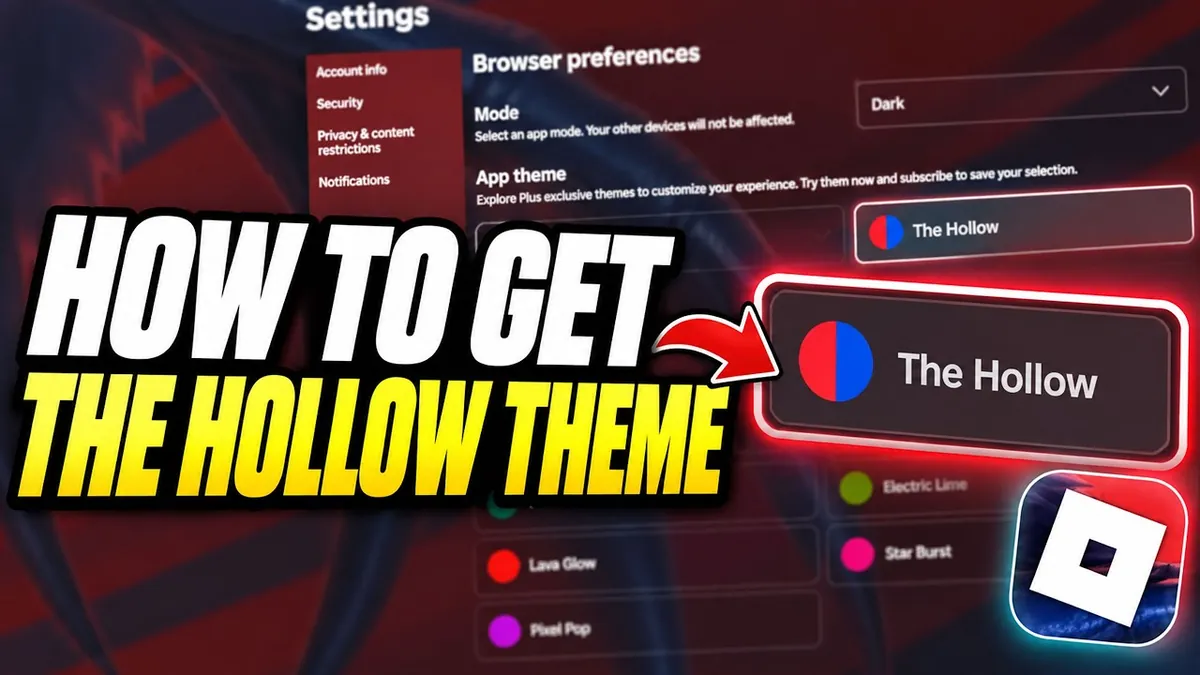
The Hollow theme is an app customization, not an in-game item. It replaces the Roblox mobile icon and the app background with Hollow artwork. It does not add a gameplay bonus, a badge, or a ticket multiplier.
The Roblox Wiki's gallery labels the two visible pieces as the mobile icon and the background image. The exact set of themed surfaces can change with the Roblox app version, so treat the icon and background as the confirmed elements.
Release timeline
| Date | Who could use it | Source basis |
|---|---|---|
| Oct 20, 2026 | Roblox Plus subscribers | Roblox Wiki release note and community reports |
| A few days later | Other Roblox users | Roblox Wiki says the theme was released to all users a few days later |
| After the finale | Plus subscribers keep it | Official Roblox newsroom |
The public release did not have a precise timestamp in the cited sources. If the option is missing, check for an app update and confirm whether your account has Plus.
How to enable it
The recorded guides show the theme option in Roblox's settings area. The exact menu label varies by app version, so use the appearance or theme section rather than hunting for a Hollow-specific button on the home screen.
- Update the Roblox app to the current version.
- Open Settings.
- Find the theme or appearance option.
- Select The Hollow theme.
- Return to the home screen and confirm the icon or background changed.
Do you keep it after the finale?
Roblox's announcement is explicit for Plus: anyone with an active Plus subscription can keep the event theme beyond the finale. It does not say whether non-Plus players keep it.
That makes the safe answer conditional. If you are on Plus, the official source supports retention. If you are not, the outcome is unconfirmed; the theme may revert when the event ends.
If the theme option is missing
- Update the Roblox app and restart it.
- Confirm that you are signed into the intended account.
- Check whether the theme is still limited to Plus in your region or app version.
- Look for the option in the appearance/theme settings rather than the avatar editor.
- Do not install a third-party theme file to force the change.
The cited video guides show the option appearing in settings, but they do not prove the same label in every app version. The official announcement confirms the benefit, not a universal menu path.
Frequently asked questions
Is The Hollow theme free?
It became available to all users a few days after the Plus early release. Plus subscribers got it first and are confirmed to keep it after the finale.
Do non-Plus players keep the theme?
The official announcement does not say. Only Plus retention is confirmed, so the non-Plus outcome remains unknown.
Where is the theme option?
In Roblox's settings/appearance area. The exact label varies by app version; update the app and look for the theme section.
Does the theme give gameplay bonuses?
No. It is an app customization that changes the icon and background.
Is there an official standalone download?
The cited sources do not provide one. The theme is applied inside the Roblox app, not distributed as a separate wallpaper pack.
Sources and limits
This page separates what the cited sources establish from its own editorial summary. It is an independent guide and is not affiliated with Roblox or the participating games. Source checks are dated 31 October 2026; they are not claimed as the site's own playtest.
- Roblox Newsroom — Plus theme retentionOfficial statement that Plus subscribers keep the event theme after the finale.
- Roblox Wiki — theme timelineOctober 20 Plus release, later public release, and the icon/background gallery labels.
- Radex Tips — theme enablementRecorded settings route and theme preview.
- NoobBlox — theme demonstrationRecorded theme activation.